







Table of Contents
When viewers join your livestream, they see more than your content. Your background is part of the picture. An untidy room or a few cluttered decorations can make your background feel like an afterthought.
A clean background doesn’t have to be elaborate or expensive. A few well-chosen decorations, colors, and some creative lighting can give your space a complete makeover.
In this article, we’ll explore streaming background ideas for different types of creators and how to create a space that reflects your content and style.
Streaming Background Ideas for Different Types of Creators
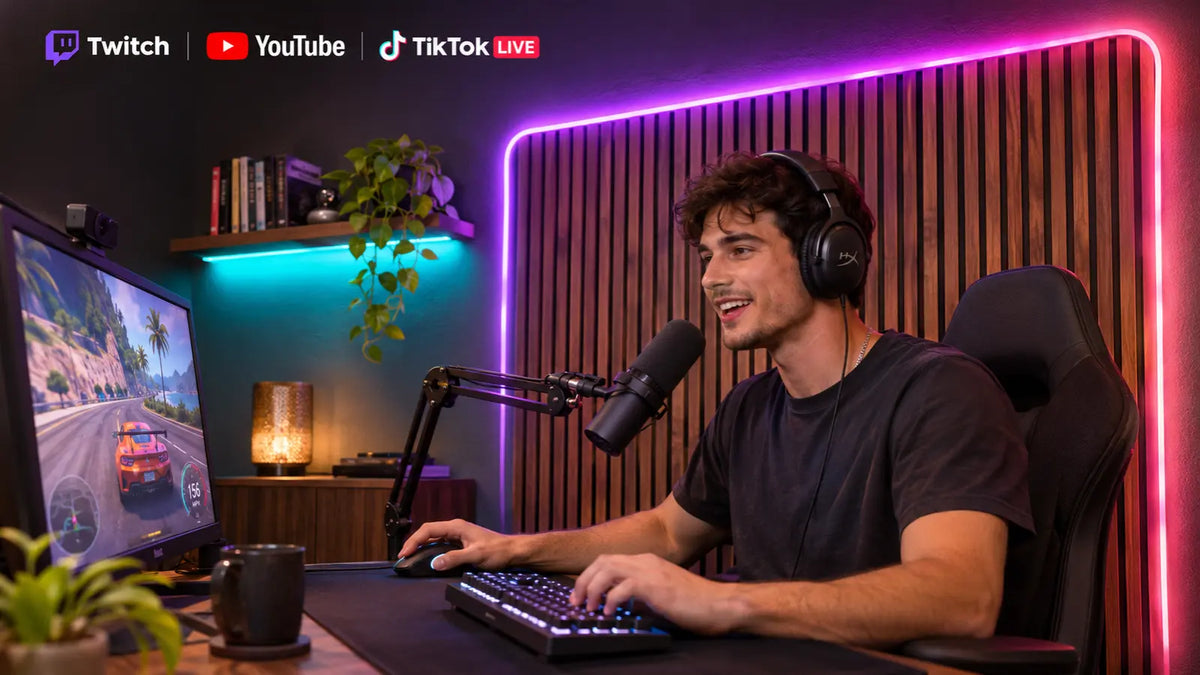
Whether you're streaming on Twitch, YouTube, or TikTok LIVE, the best streaming background ideas depend on your content and the atmosphere you want to create.
Here are a few ways to design a streaming background that complements your livestream.
1. Gaming Streamers
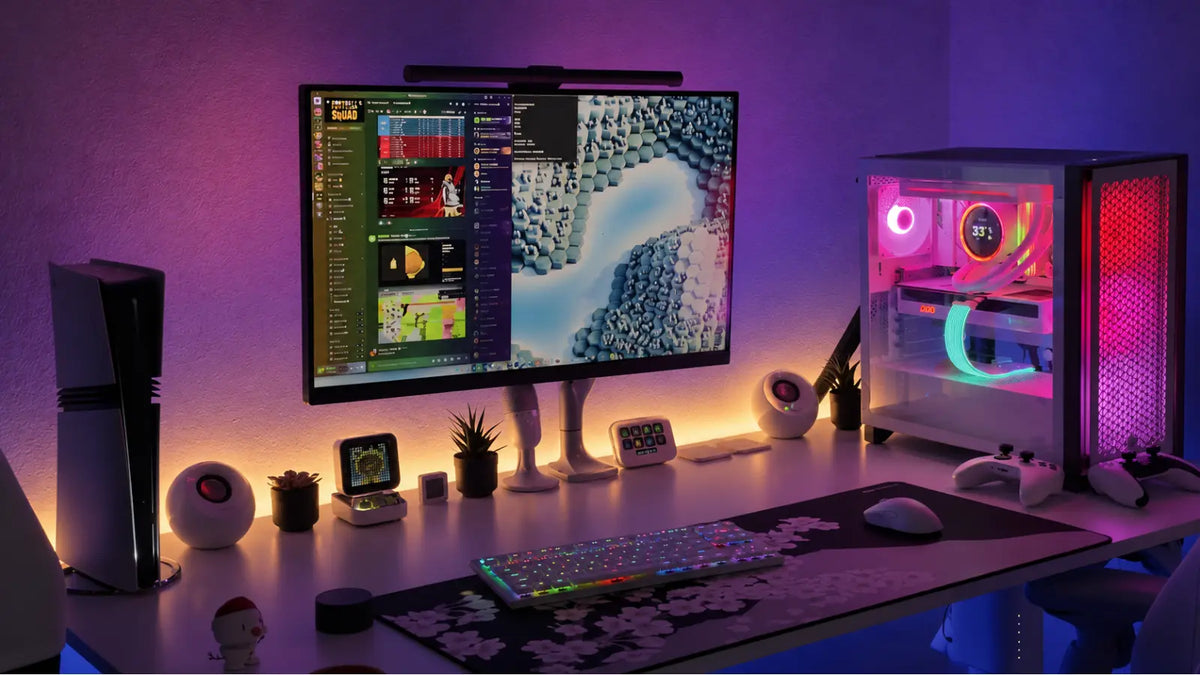
A gaming streaming background should reflect the games you play and create an immersive atmosphere. Try:
- Installing Lamomo RGB LED strips behind desks, monitors, or shelves. Their adjustable colors let you match the lighting to your favorite games or channel aesthetic.
- Hanging gaming posters or displaying collectibles related to your favorite games.
- Using floating shelves to display controllers, gaming figures, and other accessories.

2. Live Commerce Streamers
A live commerce streaming background should look organized and keep viewers’ attention on the products in question. You can achieve this by:
- Arranging featured products on shelves or display stands to keep them visible and accessible.
- Choosing neutral or complementary wall colors that don’t compete with the products.
- Installing Lamomo COB LED strips along shelf edges to provide continuous illumination and make displayed products easier to see.

3. Personal and Lifestyle Streamers
A personal streaming background should reflect your interests and give viewers a sense of your personality. Consider:
- Hanging artwork or framed photographs that reflect your taste and interests.
- Arranging books, plants, and decorative objects to make the space feel more personal.
- Installing RGB LED strips behind shelves or furniture to introduce a consistent background color that complements your channel’s visual style.

Streaming Background Ideas for Small Spaces and Bedrooms
A small bedroom can still have a well-arranged streaming background. The trick is to make good use of the space available.
-
Make Use of Vertical Space
Install floating shelves above your desk to display books, plants, and collectibles. This keeps decorations off your desk and frees up valuable floor and surface space. -
Create Depth With LED Lighting
Install Lamomo RGB LED strips behind your desk, along shelves, or behind furniture. The indirect glow adds depth to the background without requiring additional lamps or bulky decorations. -
Use a Feature Wall
Decorate the wall behind your streaming area with a few posters, framed prints, or decorative panels. Keeping the arrangement simple prevents a small room from looking overcrowded. -
Choose a Dedicated Streaming Corner
Position your desk against a suitable wall and arrange your decorations within the camera frame. A dedicated corner gives you a consistent filming area without requiring a separate room. -
Choose Lighter Colors
Lighter wall colors can make a small bedroom feel more open and less cramped. You can also use similar shades for your furniture and decorations to create a more spacious appearance.
Things to Consider When Designing Your Streaming Background
A good streaming background should look appealing on camera, complement your content, and keep viewers focused on you.
Consider these factors when arranging your space:
-
Camera Framing
Position your decorations within the camera frame. Leave enough space around yourself so the background doesn’t look crowded. -
Lighting Balance
Avoid harsh lighting and distracting shadows. Lamomo COB LED strips can provide continuous, even illumination behind shelves or furniture, while RGB strips add colored background lighting. -
Color Coordination
Choose wall colors, decorations, and lighting that complement one another. Avoid too many competing colors that make your streaming background look busy. Limiting your palette to two or three main colors can help create a more cohesive look. -
Visual Clutter
Keep decorations organized and limit unnecessary objects. A few well-placed items can make a stronger impression than an overcrowded background. -
Personal Style and Branding
Incorporate signature colors, recognizable decorations, or objects related to your content. Consistent visual details can help viewers associate your background with your channel. -
Camera Testing
Check how your streaming background looks through your camera before going live. Colors and lighting can appear different on camera than they do in person. Adjust the position of decorations and lights until everything looks balanced. -
Background Distance
Avoid sitting directly against the wall if your room allows it. Leaving some space between yourself and the background can create depth and make your livestream look less flat.
FAQs
1. Can I use a virtual background for livestreaming?
Yes. Many streaming platforms and software offer virtual background options. You can use a custom image or a blurred background to conceal your surroundings. However, good lighting and a suitable camera setup help create a cleaner result.
2. Should I change my streaming background regularly?
Not necessarily. Keeping a consistent streaming background helps viewers recognize your channel. You can still update decorations, introduce seasonal touches, or change your lighting colors for special events without completely redesigning your space.
3. Can lighting affect how I look on camera?
Yes. Poor lighting can create harsh shadows, wash out your appearance, or make your skin look unnatural. Position your main light in front of you and keep decorative background lighting at a comfortable brightness.
4. Do I need a ring light if I already have LED strip lights?
They serve different purposes. Ring lights illuminate your face, while LED strip lights add color and atmosphere to your streaming background. Using both can help create a balanced livestream setup.
Conclusion
A well-designed streaming background helps create a more polished livestream and makes your channel easier to recognize. From choosing suitable decorations to experimenting with colors and lighting, small design choices can make a huge difference.
Explore Lamomo’s LED strip lights to find lighting options that complement your streaming space and personal style.